Type 3× faster, by voice.
Hold a key, speak, and the words arrive where your cursor is, in every Mac app.
100% on-device. No cloud, no subscription.
Holdspeak is amazing, been using it since I saw it on uNeed and already integrated into my workflow. Makes interacting with various LLM apps so much easier.

I used to occasionally rely on the built-in voice recognition on macOS, but this app has completely changed how I input text. Now it feels so natural and effortless. No need to switch languages, add punctuation, or separate sentences manually. It all works automatically. Huge thanks to the developer, and I highly recommend everyone try it out!



3× faster than your keyboard.
The same message takes a minute to type, or seconds to say.
HoldSpeak lets you write at the speed of thought.
Your voice never leaves your Mac.
Most dictation apps send your voice to the cloud. HoldSpeak never does.
Runs on your Mac
Recording and transcription happen on-device. Your voice is never uploaded, to us or anyone.
No account needed
No sign-up and no login. Your transcripts stay yours alone.
Works offline
Dictate on a plane, on the subway, or with no signal at all.
HoldSpeak is private by design. Your voice is transcribed by a model that runs entirely on your Mac. No cloud, no account, no internet needed.
Download for macOSAnywhere. For anyone.
HoldSpeak works in every app on your Mac.
Speak, and your words appear right where you're working.



If you can type there, you can talk there. Your words land right at the cursor, no plugins.
100+ languages supported.
Speak in whichever language you think in.
HoldSpeak picks up the language for you, automatically.
It spells your words right.
Add the names, products, and terms only you use. HoldSpeak gets them right every time, in every app.

Remind Shavon Siobhán that the hold speak HoldSpeak onboarding copy still needs her sign-off.
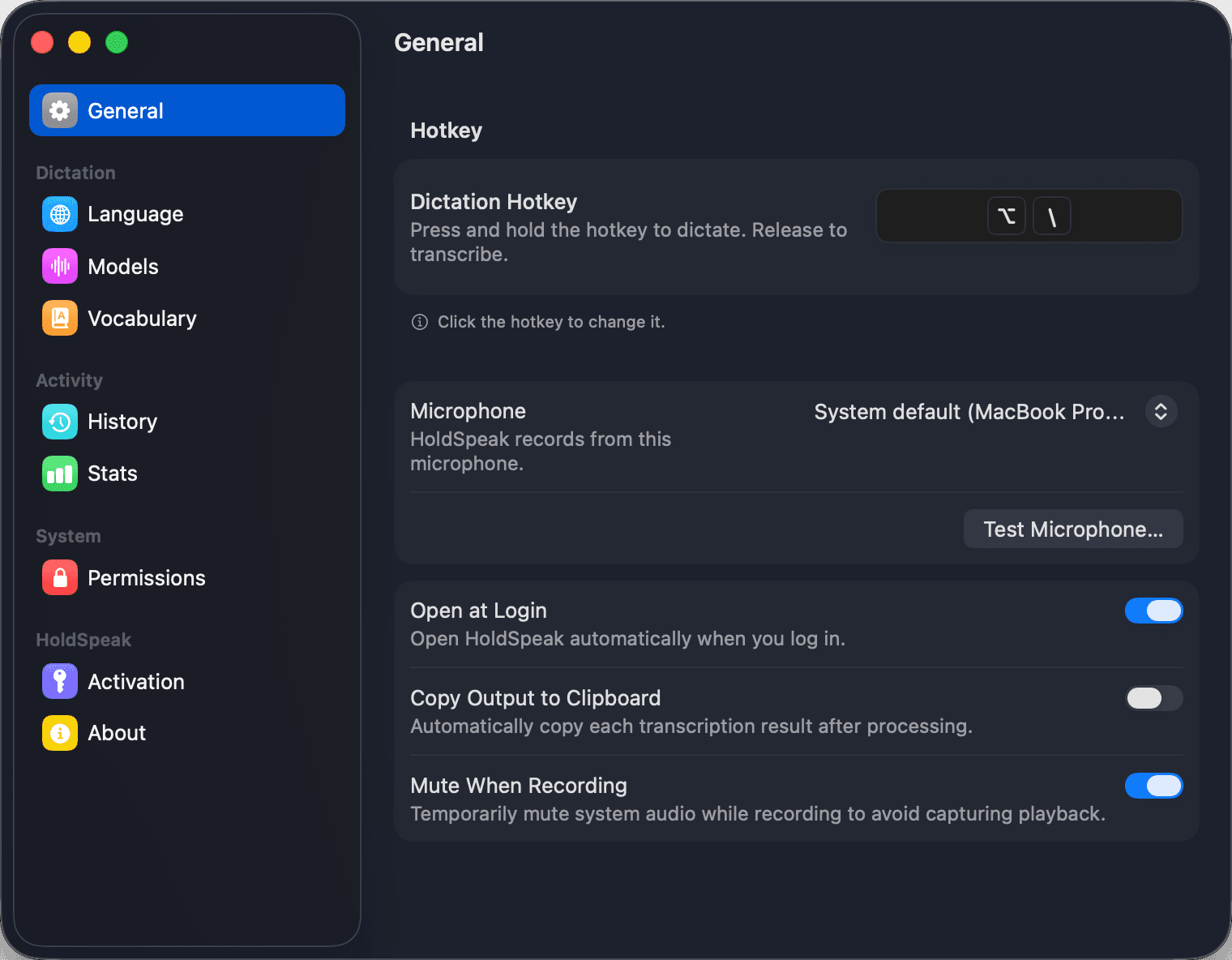
Set it up the way you work.
Set your own hotkey and shape how transcription behaves.

Built for the Mac.
HoldSpeak is a fully native Mac app, fast and energy-efficient on Apple Silicon.
It lives in your menu bar, works with a global hotkey in any app, and follows your light or dark theme.
- 12 MB
- Download size
- ~50 MB
- Memory used
- Zero
- Energy impact at idle
Pricing
No subscriptions. Pay once, use forever
1 License
- For 1 Mac
- One-time purchase, lifetime access
- Unlimited transcription
- Every feature included
- One year of updates
Optional renewal for another year at a discount.
Renew to get the latest updates or keep using the version you have forever.
2 Licenses
Most popular- For 2 Macs
- One-time purchase, lifetime access
- Unlimited transcription
- Every feature included
- One year of updates
- Save $9 vs 1 license
Optional renewal for another year at a discount.
Renew to get the latest updates or keep using the version you have forever.
3 Licenses
- For 3 Macs
- One-time purchase, lifetime access
- Unlimited transcription
- Every feature included
- One year of updates
- Save $18 vs 1 license
Optional renewal for another year at a discount.
Renew to get the latest updates or keep using the version you have forever.
Prices in USD, VAT may apply. Secure payment via Stripe.
Frequently Asked Questions
Less typing. More thinking.
Boost your productivity by speaking instead of typing.
Spend more time doing the work that matters.
